 LifeTrellis
Maple is shutting down. Where should your family go next?
Maple has been acquired by Wander and will close on December 31, 2026, when it deletes all accounts and data. If your family ran its calendar, chores and meals in Maple, here is how LifeTrellis compares, and what to save before the deadline.
WHAT MAPLE DID WELL
A different focus
Maple brought the whole family into one app: a family calendar with a side-by-side view, chores and to-do lists, shopping lists, project folders and a meal planner that could import recipes from a link and turn them into a grocery list. It also connected to Google Calendar, Apple Calendar, Microsoft and TeamSnap.
WHERE LIFETRELLIS FITS
Your household, connected
Start with family tools already in place: a shared schedule, errands, shopping, meals and budgeting, alongside personal goals and habits. Explore the free demo and check pricing for feature availability.
The differences, at a glance
A comparison by LifeTrellis · Availability varies by plan and setup · Not an import or migration service
| Feature | LifeTrellis | Maple |
|---|---|---|
| Availability | Free forever plan (ad-supported), with optional Pro | Closes December 31, 2026; data is deleted after that |
| Family calendar | Shared calendar with day, week and month views, repeating events and task time blocks | Family calendar with several views, including side-by-side |
| Calendar connections | Optional sync with Google Calendar | Google, Apple, Microsoft and TeamSnap connections, until the shutdown |
| Chores and to-dos | Shared errands, subtasks, recurring chores and repeating reminders | Chores, to-do lists and reminders |
| Meals and shopping | Recipes, a meal planner and several shared shopping lists | Meal planner, recipe import from a link and grocery lists |
| Beyond the basics | Shared budget, savings goals, habits and project timers | Project folders for school, work or activities |
Check current Maple features on the official website.
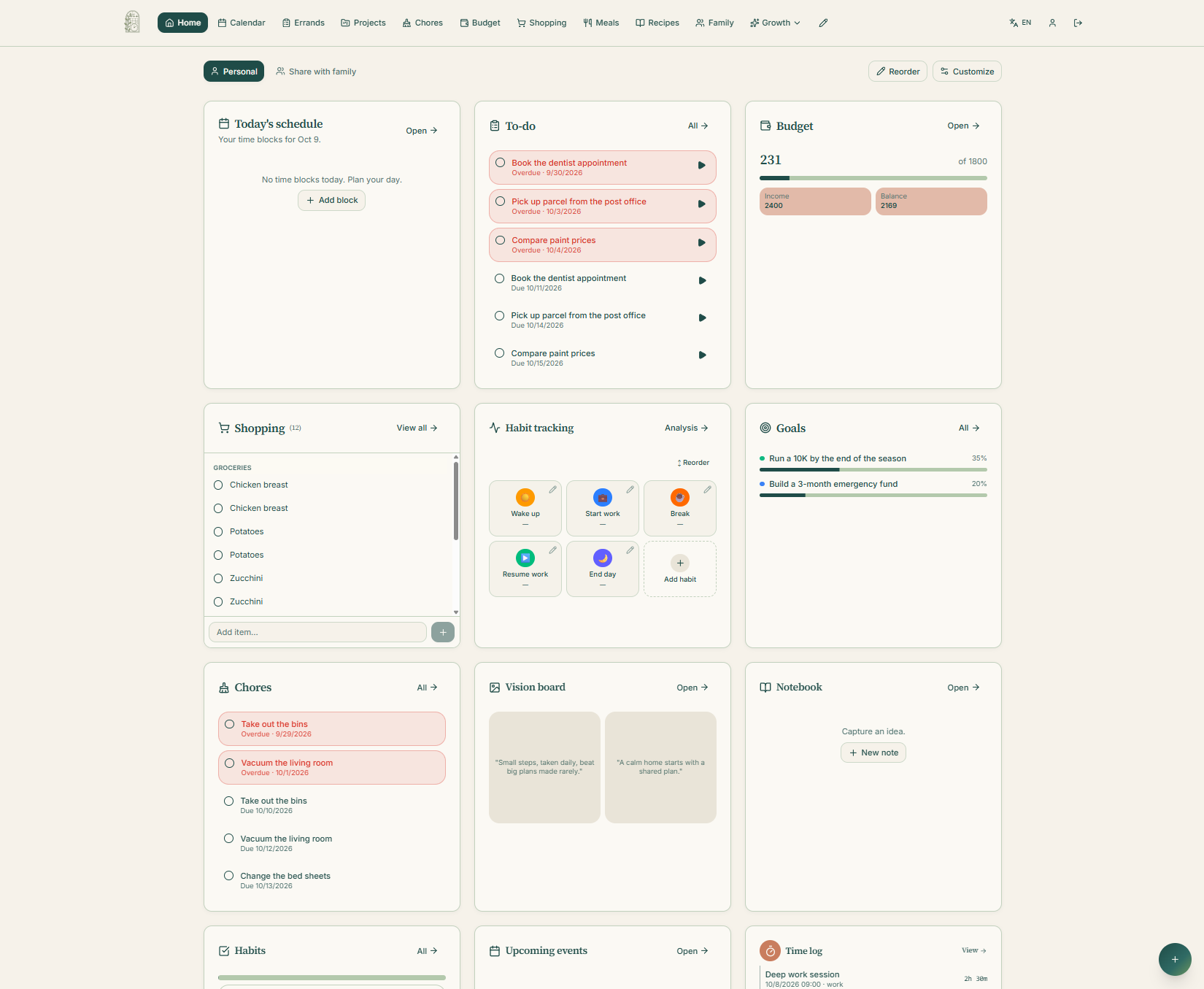
See the LifeTrellis dashboard
Schedule, tasks, shopping and budget in one view.
Which fits you best?
Whatever you choose…
Save everything you want to keep from Maple before December 31, 2026. Maple itself recommends exporting your data, because nothing can be recovered after the shutdown.
Choose LifeTrellis if…
Your priority is bringing everyday household planning together, rather than managing it across separate tools.
Moving from Maple, step by step
- 1
Before December 31, 2026, save what you need from Maple: upcoming events, recurring chores, favourite recipes and the lists you still use.
- 2
Try the LifeTrellis demo with a sample family. No account needed.
- 3
Create a free account and invite your family with your family invite code.
- 4
If your family events are also in Google Calendar, connect it on the Integrations page to bring them in.
- 5
Add your recurring chores, recipes and shopping lists. Repeating chores and their reminders roll forward on their own.
Common questions
When does Maple shut down?
Maple says it will sunset on December 31, 2026. Accounts stay active until then; afterwards they are closed and all data is deleted.
Can I import my Maple data into LifeTrellis automatically?
No. LifeTrellis has no automatic Maple import. Save what you need from Maple first, then add it to LifeTrellis. If your events are also in Google Calendar, LifeTrellis can sync them.
Is LifeTrellis free?
Yes. The core app is free and ad-supported, with an optional Pro subscription for extra features.
Can I try it without an account?
Yes. The public demo contains sample family data and needs no account.
Find your family’s rhythm.
Try the demo before signing up.